Mobile Proxy Keeps Disconnecting? Diagnose and Fix the Cause
Updated October 8, 2026

Mobile Proxy Keeps Disconnecting? Diagnose and Fix the Cause
For broader measurement guidance, the mobile proxy performance guide explains how to evaluate successful requests; recurring drops need the narrower, evidence-first checks below.
Identify what happens when a mobile proxy keeps disconnecting
The first useful evidence is the exact error, its timestamp with time zone, and the operation underway. “Disconnected” in an application interface can describe several different failures.
| Observed symptom | What it indicates | Next check |
|---|---|---|
| Connection refused | The connection attempt was rejected. | Verify the endpoint, port, and local network restrictions. |
| Connection timeout | An operation exceeded its deadline. | Identify whether DNS, connection setup, or response waiting stalled. |
| Connection reset | An established connection was abruptly terminated. | Compare client, network, and destination timing. |
| HTTP 407 | Proxy authentication is required or wasn't accepted. | Check credentials and the documented authentication method. |
| Other HTTP error response | An HTTP exchange occurred; a responder rejected or couldn't complete the request. | Inspect headers and body to identify the responder. |
| Exit IP changes while requests succeed | The exit identity changed, without necessarily breaking transport. | Check documented session behavior and application expectations. |
A mobile proxy connection reset doesn't identify which component caused it. And an application session can fail after an IP change even while the next network request succeeds.

Isolate the failure with a controlled request
When a mobile proxy keeps disconnecting, changing several settings together destroys useful evidence. The operator should preserve the failing configuration before testing a simpler path. For access-model questions, compare dedicated and shared mobile proxies by verified resource allocation, session terms, and workload costs.
- Record the failure. Capture the error text, timestamp, destination hostname, request method, and whether the failure occurs during connection setup, response transfer, or inactivity. Mobile proxy error logs should have credentials removed before sharing.
- Verify configuration. Compare the hostname, port, proxy protocol, and authentication format with the provider's documentation. A destination using HTTPS doesn't automatically mean the proxy endpoint itself expects HTTPS.
- Check the underlying connection. A harmless request to an approved test endpoint without the proxy can reveal local instability. Direct access should only be tested when organizational security rules permit it.
- Use a minimal client. Run a single authorized, read-only request through the proxy using curl or another basic HTTP client, without concurrency or automatic retries. Compare it with the application request.
- Compare active and idle behavior. Note whether continuous use works but the first request after inactivity fails. Record the actual idle duration rather than assuming a provider limit.
- Change one variable. Repeat the same request after changing only the suspected setting, keeping the destination and network otherwise consistent.
For teams using IP9's mobile proxies, endpoint and authentication checks should use the applicable service configuration, not assumptions borrowed from another proxy product.
The IP9 documentation and Quick Start provide a residential-proxy reference; mobile configuration should be confirmed separately rather than inferred from those examples.
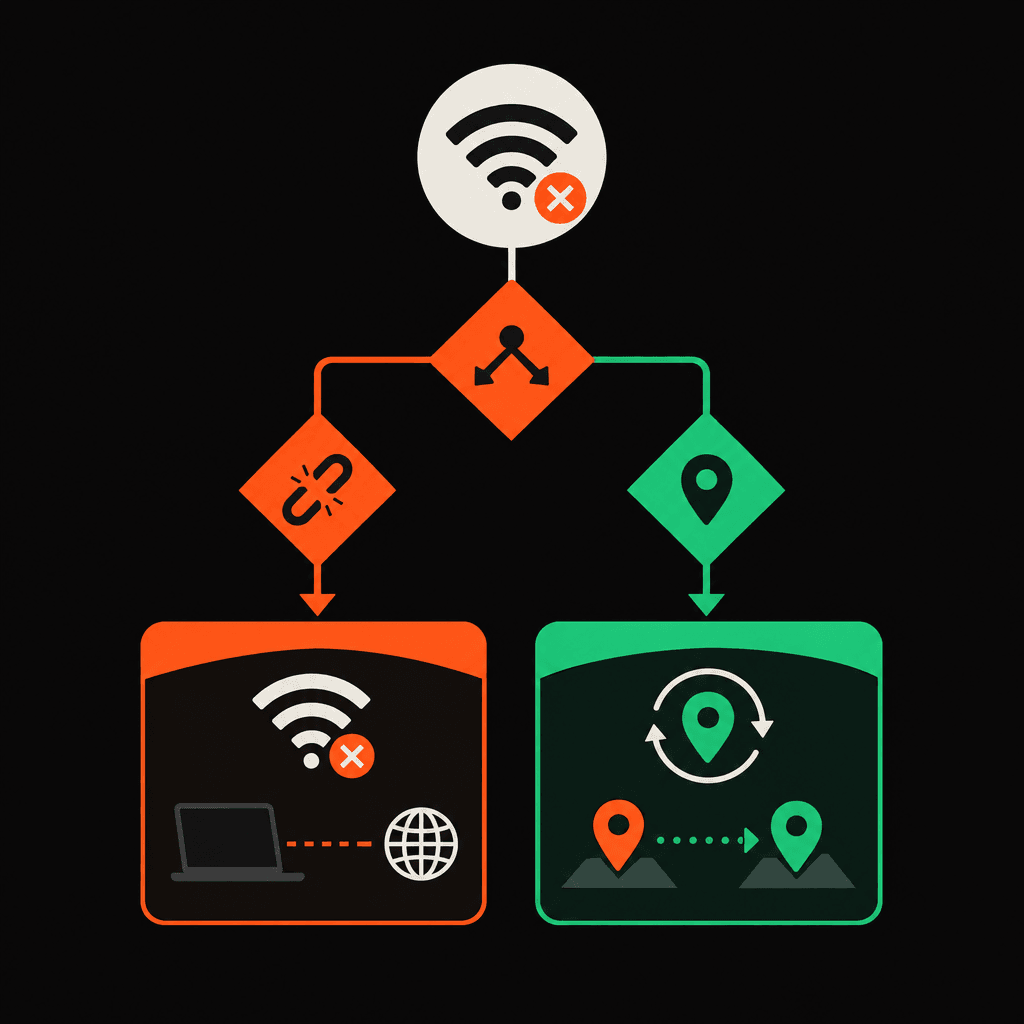
Match the fix to why a mobile proxy keeps disconnecting
Local instability or background suspension
If direct and proxied tests both fail, the underlying internet connection needs attention first. A stable connection without Wi-Fi-to-mobile-data switching makes a useful comparison.
For Android clients using a VPN layer, background restrictions, battery optimization, competing VPN profiles, or private DNS conflicts may contribute. Each suspected cause should be tested separately. These VPN-specific checks aren't evidence that every mobile proxy uses a tunnel.
Authentication or connection setup failures
A mobile proxy authentication error calls for checking credentials, authorization settings, and client support for the required authentication method. Repeated retries won't correct a malformed username or an incorrect endpoint.
For a mobile proxy connection timeout, the failed stage matters more than a larger deadline. Teams also diagnosing residential connections can use the residential timeout diagnosis workflow without carrying over service-specific settings.
Idle-only failures or destination rejection
A mobile proxy idle timeout pattern may point to stale pooled connections or an intermediary's inactivity limit. The operator can compare a fresh connection after the idle period with reuse of the existing connection. Documented client settings should guide any pool-lifetime or keepalive adjustment.
If only one destination fails, its response and access rules need review. Where request frequency triggers rejection, the appropriate response is reduced traffic and compliance with the destination's rules, not attempts to bypass controls. Non-idempotent requests shouldn't be replayed unless application safeguards prevent duplicate effects.
Escalate with a reproducible, credential-safe record
If a mobile proxy keeps disconnecting after controlled tests, the support record should include:
- Client name, version, operating system, and proxy protocol.
- Exact error text, timestamps with time zone, and failure stage.
- Active-versus-idle timing and any network switching.
- Minimal reproduction steps, destination hostname, and request method.
- Direct-versus-proxied results and settings already tested.
Passwords, proxy authorization headers, cookies, tokens, and sensitive request bodies must be removed. Before any automated version of this workflow is published, its steps must be checked against the full IP9 Acceptable Use Policy, including its responsible-automation requirements.
FAQ
Can a changed exit IP explain why a mobile proxy keeps disconnecting?
It can explain application-level session rejection, but it doesn't prove that the underlying connection dropped. Successful requests and transport errors should be tracked separately.
Why does a fresh connection work after an idle period?
The reused connection may have expired somewhere along its path. Repeated fresh-versus-reused comparisons help distinguish that pattern from a general outage.
Should the client automatically retry every failure?
No. Authentication failures need correction, and retries of non-idempotent operations can duplicate actions. Retry behavior should depend on the error and application safeguards.
The next time a mobile proxy keeps disconnecting, the first checks should be the exact failure stage, any network transition, and whether the client reused an idle connection.